8 Best WMV Video Players for Mac in 2023
Best Option: Elmedia Player
Elmedia Player is widely regarded as the best WMV player for Mac. While it supports a variety of video formats, WMV files play natively without the need for additional codecs or updates.
Users can enjoy almost any video type with full access to standard playback controls and options right from the free version, with minimal interruptions. Because of this, Elmedia stands out as one of the few WMV players for Mac that offers a free download while delivering reliable and smooth playback.

Additionally, Elmedia’s Pro version allows users to take screenshots, enjoy picture-in-picture viewing, tune audio, and a few more advanced features, all without detracting from the free version’s usability. This makes Elmedia far more convenient than other media players with free versions on this list.
Pros:
-
Seamlessly works with macOS operating system, including Ventura
-
Easy-to-use interface and video options are accommodating
-
Free version allows for unlimited and uninterrupted use
-
Built-in streaming capabilities support a wide array of devices
Cons:
- Some advanced options are restricted to the paid Pro version
Price:
-
Free (free version)
-
$19.95 (Pro)
Supported OS:
- macOS (including Ventura)
Option #2: VLC
VLC is a completely free WMV player for Mac and Windows that is also open-source and consistently updated, meaning that it will almost always run on the most recent version of your Mac’s operating system.

VLC can also support almost any file type and will usually play videos smoothly, making VLC a strong choice for a media player for WMV files on your Mac.
One common complaint about VLC is that its advanced video options can be confusing to use through the menu bar, and its built-in streaming options leave a lot to be desired in comparison to other options on this list.
Pros:
-
Constant updates mean VLV almost always works
-
Strong support for playing almost any video type
Cons:
- Some playback options can be too advanced or confusing for users
Price:
- Free
Supported OS:
-
macOS (including Ventura)
-
Windows
-
Linux
Option #3: Cisdem
Cisdem is a WMV player for Mac that offers a free download with the option to upgrade to an ad-free version. The free version supports playback of a wide range of video and audio formats and features a simple, user-friendly interface that makes controlling your media straightforward and hassle-free.
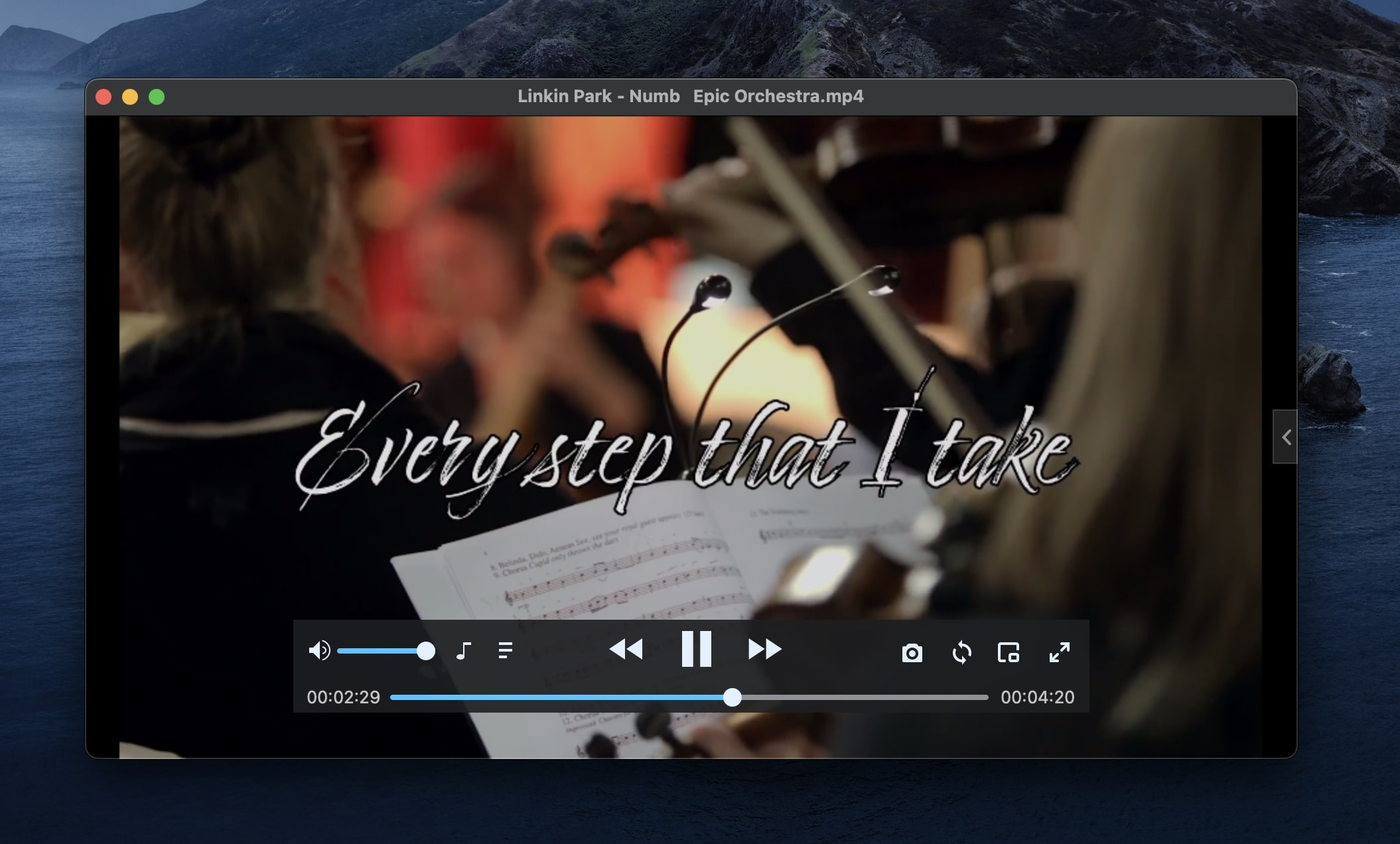
While Cisdem is easy to use and contains all of the basic video player necessities one expects to find, its ads are frequent and potentially intrusive. Users can pay a small fee for a single user to remove the ads and gain access to tech support.
Pros:
-
HD and UHD video playback
-
Ability to create playlists and remember your place when returning to the app
Cons:
- Free version contains ads, pop-ups, and other intrusive notifications
Price:
-
Free (with ads)
-
$9.99 (ad-free)
Supported OS:
-
macOS (including Ventura)
-
Windows
Option #4: IINA
IINA is another WMV player for Mac that is completely free. It doesn’t give the user a ton of options for playback, but its easy-to-use interface, ability to play lots of different types of videos, and lack of obtrusive ads or pop-ups make it a strong option for anyone trying to play WMV videos on their Mac.

Like VLC, IINA has a fairly straightforward interface with some complex menu bar options and playlist creation abilities. IINA can also create libraries from your video folders on your Mac, allowing you to select from files within IINA’s interface rather than adding files to the player each time you want to play them.
Pros:
-
Contains standard options like picture-in-picture and Mac-specific support
-
Designed from the ground up to be used by macOS platforms
Cons:
- Fairly limited options in comparison to some media players on this list
Price:
- Free
Supported OS:
- macOS (including Ventura)
Option #5: 5KPlayer
5KPlayer is a combination video player and media library that also allows users to stream videos via AirPlay and DLNA. In addition to playing WMV files, it can play a long list of different video formats; 5KPlayer can also stream from sites like YouTube and DailyMotion.

Unfortunately, 5KPlayer has some drawbacks, including spammy ads and pop-ups in the free version and a tendency to cause videos to lag or freeze while playing. 5KPlayer also has a relatively dated interface that does not always work.
Pros:
-
Built-in library creation, video conversion, and streaming options
-
AirPlay and DLNA streaming controls are intuitive
Cons:
-
Ads pop up frequently and are not removable
-
Player often freezes and stutters
Price:
- Free, but contains ads
Supported OS:
-
macOS (including Ventura)
-
Windows
Option #6: OmniPlayer
OmniPlayer is a free MKV player that also supports a variety of additional file types, including WMV. You can download OmniPlayer directly from your Mac’s App Store as well, adding some credibility to the app.

OmniPlayer allows the user to play multiple videos at once, use picture-in-picture, and cast videos to supported devices. Users can even adjust the speed at which videos play and the rate at which subtitles appear, giving a lot of control to the user for such a simple app.
Pros:
-
Easy-to-use interface and video options
-
Automatically seeks out wireless casting options and places them in your toolbar
Cons:
-
Ads and pop-ups are present in the free version
-
Some high-quality videos can play in a lower quality than they should
Price:
-
Free (with ads)
-
$3.99 (monthly)
-
$6.99 (yearly)
-
$9.99 (lifetime)
Supported OS:
-
macOS (including Ventura)
-
Windows
Option #7: Switch Player
Switch Player is a multiformat video player and editor that includes the ability to watch WMV files on your Mac, albeit with some caveats. In order to access the free trial version of Switch Player, you must first sign up for emails and the trial copy on the Switch Player main site. Once you do that, Switch Player will download automatically.

Unfortunately, even the free version doesn’t allow for exports of over 30 seconds, and the player itself won’t open WMV files due to licensing issues. In order to use Switch Player to view WMV files on your Mac, you will have to purchase the basic version for $19.95, making it the only mandatory purchase on this list.
Pros:
-
Allows for video editing and exports
-
Plus and Pro versions enable team collaboration, large exports, and more
Cons:
-
Free trial is extremely limited, inconvenient to use, and includes watermarks
-
Full version is costly, especially if you want to buy more than the basic package
Price:
-
Free trial
-
$19.95 (Switch Player)
-
$739.00 (Switch Plus)
-
$1059.00 (Switch Pro)
Supported OS:
-
macOS (including Ventura)
-
Windows
Option #8: UniConverter Desktop Video Converter
UniConverter Desktop Video Converter is a unique entry on this list in that it has a variety of tools built into its video player. While UniConverter does play WMV files–in addition to a variety of other file types–it also gives you the ability to edit, convert, and more.

UniConverter does significantly restrict your options for use in the free trial, but gives users the option to either buy an annual license or pay a one-time fee to own the software forever.
Pros:
-
Sleek interface makes otherwise intimidating tasks like editing seem approachable
-
Video player is clear and runs well
Cons:
-
Free trial is fairly limited
-
Full-screen mode does not get rid of the playlist pane
Price:
-
Free trial
-
$49.99 (annual)
-
$79.99 (one-time purchase)
Supported OS:
-
macOS (including Ventura)
-
Windows
Conclusion
There are many high-quality WMV players for Mac available, but Elmedia Player stands out as our top choice. Its ease of use and ability to play virtually any video file make it a versatile solution, often eliminating the need for additional players. It also runs natively on M1 and M2 Macs, ensuring smooth performance and seamless integration into your workflow.
That said, any of the options listed here can help you view WMV videos on Mac, and some even offer extra features like editing, streaming, or converting WMV files.